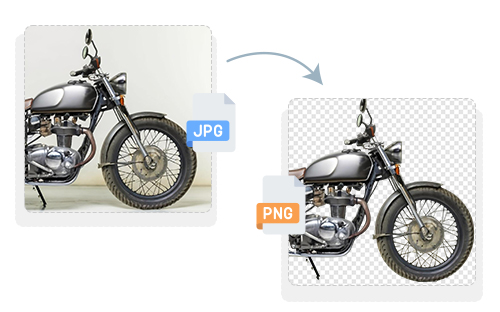
JPG to PNG

Easily convert JPG to PNG in high-quality format. It is free and no sign-up is needed!

Upload Icon
Upload Image


or, drag and drop images here

Upload Image

How to Use Online JPG to PNG Converter?

1. Upload Your Image: Click on “CHOOSE JPG IMAGE” and select a jpg file.

2.Processing Begins: Our free JPG to PNG converter automatically transforms JPG files into PNG format without losing the quality.

3. Download: Get high quality PNG files instantly.

4. Preserves Original Quality – Maintains image clarity, colors, and details during conversion.

5.No Software Needed – Convert directly in your browser without installing any tools.
Upload Image

JPG to PNG Converter

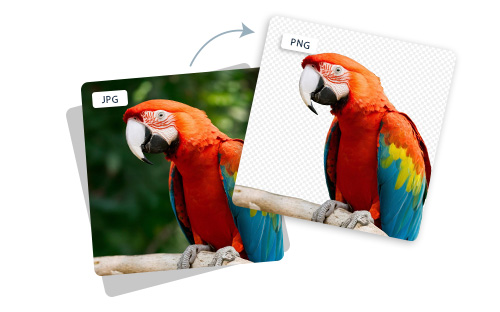
Our JPG to PNG converter provides the best solution for those who do not compromise on image quality. Whether you’re aiming for transparent backgrounds, better compression, or web optimization, this tool is built to handle your needs efficiently. It supports multiple file sizes and works entirely online; no software installation is required. Designed with both speed and clarity in mind, it delivers quick results with uncompromised quality. Whether you’re a digital marketer, web developer, or content creator, converting JPG to PNG just became easier than ever. You can upload and convert images in seconds, with no limit on usage or sign-ups required. The intuitive interface ensures a seamless experience, even for beginners. Our converter also ensures that the transparency of PNG files is retained perfectly for use in presentations, websites, or digital designs.

Features

Free & Easy to Use

Completely free with a simple, user-friendly interface.

No Watermarks

Download clean images without any branding or pop-ups.

Original Quality

Ensures your image stays sharp, clear, and uncompressed.

Safe & Secure

Your files aren’t stored, shared, tracked, or monitored.

Resized Image
Image Resizing, Optimize, Adjust, And Perfect in Seconds!

FAQs

JPG is a lossy image format that is commonly used for photographs and complex images because it can produce relatively small files. PNG uses lossless compression and is better suited to graphics, screenshots, text, and images that need transparency. Choose PNG when image structure and transparency matter; choose JPG when broad compatibility and smaller photographic image files are the priority.

Converting a JPG to PNG before further editing can help avoid repeatedly applying JPEG compression when saving intermediate versions. However, converting to PNG cannot restore detail that was already lost in the original JPG. For important design work, it is better to keep an original lossless or project-format source whenever possible and export to JPG only when needed.

Use a browser-based JPG-to-PNG converter. ResizeTheImage.com lets you upload JPG images, process them online, and download the resulting PNG files without installing desktop conversion software. The page also states that the tool requires no sign-up.

Usually, no. PNG files can be larger than JPG files because PNG uses lossless compression, while JPG uses lossy compression that is designed to reduce file size. Converting JPG to PNG is therefore normally done for format features such as transparency or lossless storage rather than simply to reduce file size.

Upload the JPG files to a JPG-to-PNG converter and use the resulting PNG files in your design workflow. PNG can be useful for graphics that contain text, illustrations, interface elements, or areas requiring transparency. ResizeTheImage.com provides browser-based JPG-to-PNG conversion without requiring additional software installation.

Yes. JPG-to-PNG conversion changes the file format while retaining the visual content contained in the JPG. It does not recreate the logo as a vector graphic, however, so the PNG remains a pixel-based image. ResizeTheImage.com states that its converter maintains image clarity, colors, and details during conversion.

PNG is a good choice when a website image needs transparency, sharp text, simple graphics, screenshots, or lossless image storage. JPG is generally more efficient for photographs and other complex images when smaller file sizes are preferred. For web performance, the best format depends on the image type and the site's compatibility and optimization requirements.

Converting an existing JPG to PNG does not restore image data that was already lost through JPEG compression. PNG can preserve the pixels contained in the JPG without applying another lossy JPEG compression step, but it cannot recreate missing detail. ResizeTheImage.com describes its conversion as maintaining the source image's clarity, colors, and details during the conversion process.

Upload the JPG screenshot to a JPG-to-PNG converter and download the resulting PNG file for use in compatible image-editing software. PNG can be useful for screenshots because it is designed to preserve sharp text, lines, and interface details without introducing additional JPEG-style compression during the PNG conversion. ResizeTheImage.com converts JPG images to PNG directly through the browser.

PNG is often a better choice for logos, screenshots, interface graphics, and images containing sharp text or transparent areas. JPG is generally more suitable for photographs and complex images where smaller file sizes are important. ResizeTheImage.com supports JPG-to-PNG conversion for workflows where PNG's format characteristics are more appropriate.

Converting JPG to PNG creates a PNG file, but it does not automatically remove the JPG's background. JPG does not contain transparency information, so simply changing the format will not make an existing background transparent. If you need a transparent background, you must first remove the background with an appropriate image-editing or background-removal tool and then save the result as PNG. ResizeTheImage.com's JPG-to-PNG converter can convert the resulting JPG into PNG format.

Convert a JPG to PNG when you need PNG-specific features such as transparency or when you want a lossless PNG copy for further editing. PNG is especially useful for graphics, logos, screenshots, text-heavy images, and designs where preserving sharp edges is important. ResizeTheImage.com converts JPG files to PNG directly in the browser.

It's a tool that transforms JPG images into PNG format, often used for maintaining transparency and better quality.

Yes! Our converter is 100% free and does not require sign-up.

Yes, it’s optimized for all devices including smartphones and tablets.

Yes, it traces the image to keep the design sharp and scalable.

Absolutely. You can batch upload and convert several images simultaneously.