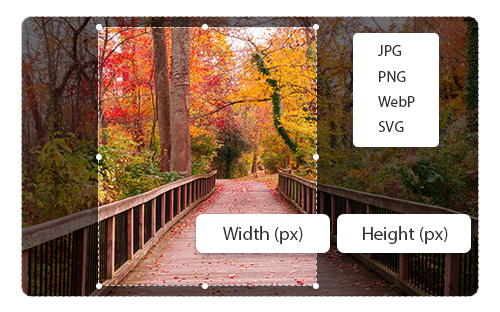
Crop Image

Easily crop images to the perfect size and download instantly.

Upload Icon
Upload Image

or, drag and drop image here
Crop Rectangle
Download
Upload Image

How To Crop Image Online?

1. Upload Your Image – Click on “CHOOSE IMAGE” and select an image from the device.

2. Crop as You Like – Select the preset ratio or adjust accordingly and click on “Crop”.

3. Resize Precisely – Set custom dimensions or choose from popular presets.

4. Compress Smartly – Reduce file size while keeping image quality sharp.

5. Convert Formats – Switch between JPG, PNG, WEBP, and more with ease.

6. Download – Save and download your cropped image in high quality format.

Upload Image

Photo Cropper Tool

Cropping an image is one of the most common editing needs, whether you're preparing a profile photo, optimizing content for your website, or adjusting product photos. Our online photo cropper makes the process incredibly easy. With our cropping tool, you don’t need to download heavy software or sign up for any account. Just upload your photo, crop it to your desired section, and download it in high resolution. The whole process is of seconds. The image cropper works smoothly on mobile and desktop and supports various image formats like JPG, PNG, and more. Plus, it ensures your images remain private and watermark-free. Try the best crop image online tool today and experience how easy and efficient cropping can be!

Features

Free & Easy to Use

Completely free with a simple, user-friendly interface.

No Watermarks

Download clean images without any branding or pop-ups.

Original Quality

Ensures your image stays sharp, clear, and uncompressed.

Safe & Secure

Your files aren’t stored, shared, tracked, or monitored.

Resized Image
Image Resizing, Optimize, Adjust, And Perfect in Seconds!

FAQs

Yes! You can crop images online for free with no hidden charges.

Absolutely. We prioritize your privacy . All uploaded images are processed securely and automatically deleted after the cropping session.

Not at all. Your final image will retain its original resolution and quality.

No, using a good online image cropper ensures that the image quality is preserved even after cropping. Our tool maintains the original resolution and clarity of your photos.

Yes! Our photo cropper allows you to manually adjust the crop area or select from preset aspect ratios like 1:1, 4:3, 16:9, making it easy to fit social media posts, profile pictures, or documents.