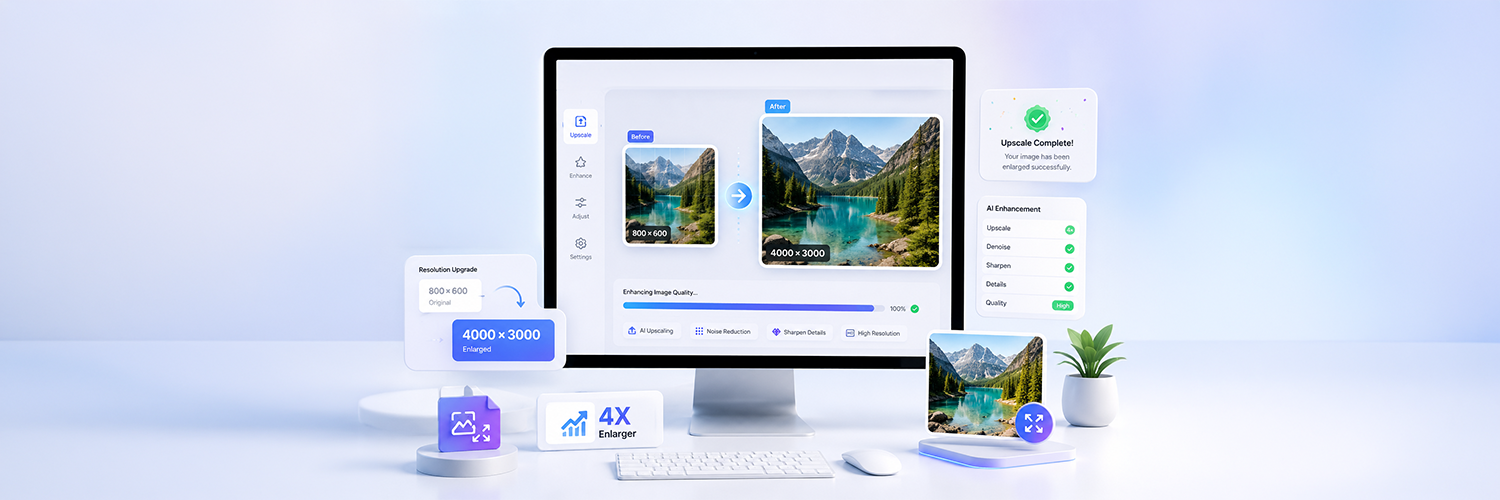
The ideal image sometimes comes out slightly blurry or pixilated and then the image doesn’t make the best product image, social media post, website banner, or print design. That is why a free image enlarger tool is essential for such issues.
Image enlargers allow you to easily resize your image files and enhance their quality without sacrificing resolution. The online enlargers tool can upscale images, sharpen the details, and keep images sharp and clear with just a few simple clicks. For an instant online image resizing without any sign up, online free tools are your best option.
In this blog, you will learn how an image enlarger works, its uses, and how to enlarge images online without the loss of image quality.
Understanding How Image Enlarger Tools Work
An image enlarger increases the size of an image while retaining sharp image quality. Ordinary image resizing stretches the pixels and ends up with a blurry image. Enlarger tools analyze and add intelligent pixels for clearer images.
When Is An Image Enlarger Tool Needed?
Social Media Graphics- Image enlarger tools help create clear and visually appealing graphics for your social media posts like Instagram, Facebook, Pinterest, LinkedIn, or X. When you upload a photo to social media, quality often deteriorates since most social platforms compress photos, so the enlarger tool could potentially help produce sharper images.
Website Banners-Website banners are one of the first things that visitors see when they click on a webpage. If the banner images are blurry or of low quality, the user experience is poor and it makes your website look messy and unprofessional. An image enlarger tool helps create large banner images in high resolution, making your banner image look good on all screens.
Product Images- For companies with online stores, product photos are one of the most important elements in decision-making by the consumers. An image enlarger can allow customers to zoom in to view color and texture of product images with sharp quality.
Posters and Print Materials- For printing images require high image quality compared to online visuals. Low-resolution images usually look pixelated and fuzzy when printed out to a large size poster. So, the enlarger tool helps produce sharp and clean graphics to print.
YouTube Thumbnails- Image thumbnails are quite significant to determine the viewer click-through rate of a video on YouTube. If a thumbnail is of low quality, you would want to make it much clearer and easier to read the text/faces on it; an image enlarger tool can provide assistance here by creating a larger image that is sharper and more clearly visible to attract viewers.
Difference Between Resizing and Enlarging Images
It may look like they are the same, but actually Resizing an image and Enlarging an image are quite different from each other. Both methods are used to alter image dimension but affect image quality differently.
Resizing An Image
Resizing refers to changing the width and height dimensions of an image, as you want. It can mean changing the dimension to a small size or only to a slightly larger one. Resizing an image is primarily used for fitting images onto websites, social media platforms, in an email, or a smaller image for fast loading speed.
While enlarging an image tries to maintain the image quality by adding details, image resizing simply adjusts the image dimension and file size, helping you to optimize images and save them with correct dimensions to be compatible with certain platforms and devices while keeping original proportion and layout.
Common Reasons Images Are Resized For:
For Social Media: To fit a post, cover photo, LinkedIn banner or Pinterest graphics, an image must have exact dimensions to upload properly to respective platforms. Using resizing allows you to maintain quality when uploading your social media posts and keeps your feed or profile looking neat.
For Email and Documents Sharing: Larger images can often be cumbersome to upload or send via email and message apps. Resizing reduces the file size so it can be sent easily, taking less bandwidth and space.
For Blogs and Articles: Website owners and bloggers resize the feature, infographics, and content images so they can fit in the webpage. Moreover, optimizing images can increase website load speed for better user experience.
For Profile Picture and Thumbnails: Many apps and websites demand specific pixel sizes for profile photos, icons, and thumbnails. Using resizing you make sure they fit without becoming blurred or stretched.
Enlarging An Image
Enlarging specifically focuses on increasing image dimensions without loss of quality and sharpness. Modern AI image enlarger tools go further and examine patterns, textures, edges, and so on. Conventional enlargement causes loss of clarity and causes a blurred and pixellated image, modern enlarge tools overcome these by adding definition to image and improving image sharpness during the process.
Enlarging Images Is Useful For:
Sharpen image: Modern AI image enlargement will make your enlarged photos appear sharper and more defined, than blurred. They enhance edges, texture and detail so the image looks much clearer and brighter.
Reduce pixelation:When an image with small dimensions is enlarged by normal conventional means, one can often find tiny squares representing individual pixels in the image. AI enlargement tool significantly reduces this phenomenon making the image smoother and well-balanced.
Add details back: Advanced image enlarger can even restore facial expressions, texture of skin, clothing, background, and all the minor details that are often difficult to achieve without making the image look artificially modified.
Make print-ready image: Enlarging images is particularly helpful when preparing your images for print, be it a brochure, banner, flyer or business card, you need a high-quality print. Enlarging the image makes your image ready for print quality without much compromise on resolution.
Why Use an Online Image Enlarger?
The online image enlargers have recently become popular due to the speed and easiness to enhance images size and quality without much prior knowledge in image editing. There is no need to download cumbersome software or learn complex editing software since all you need is to upload your photos into an online image enlarger to increase and improve them in seconds.
This image enlarger is a helpful tool for content writers, businesses, designers, students and people with similar goals that want to acquire sharper and clearer photos whether they are for printing or web use.
Enhance Your Image Quality on social media platforms: Every time when users upload any image on the social media platforms like Instagram, Facebook, Pinterest, LinkedIn, or X, the photo would have to be compressed to reduce file size in order to have good transmission. It would result in making photos blurry or low resolution; it is because when the picture is compressed. However, by enhancing the photos by the use of an online image enlarger, images seem much clearer and vibrant. Hence, a well defined picture would generate an excellent first impression on your profiles and photos for brand promotion or influence purpose.
Optimize Your Images Quality for Websites and Blogs: Visual elements are extremely crucial in the development of websites and it can help to enhance your website's design. Bad-looking pictures like low resolution and blurry ones can negatively impact the website's appearance and image of professionalism. Websites and bloggers can apply online image enlarger to improve images in featured images in blogs, banners in home page, portfolios in galleries, promotional designs, landing pages.
Boost the Print Quality of Your Photos: It is very hard and also a complicated work to turn any tiny low-resolution photo into large photos for printing without losing quality. However, there is a way for us to use online AI image enlarger to enhance photo resolution and improve quality for printing, which helps users to have sharp and clear printed photos. Typically used in business contexts, it can be employed to generate eye-catching posters, flyers, banners, printed ads, photos that need to be printed for frame display, and invitations.
Features of the Best Free Image Enlarger Tool
The best free image enlarger is all about its capabilities and how easy it is to use. An excellent photo enlarger can upscale your images without compromising the quality or its sharpness. Today, the best online image enlarger tools are designed to make photo enlarging fast and simple for everyone-beginners and experts. Whether you're editing social media graphics, website visuals, product images, or photos to print, using the right image enlarger can drastically speed up your workflow and give better results, even with little to no editing expertise.
Fast and Free Online Access
You can enlarge and beautify images instantaneously, without downloading heavy software or signing up for anything. Every action takes place in your browser, streamlining the procedure. This is ideal for those who need to resize photos quickly for posts on social media sites, web images, slideshows, shops and advertising.
Key Benefits Includes:
Quick Image Processing- The features process your photos in just a matter of seconds, allowing you to quickly work on a number of images to update on your website, social media sites or to produce marketing materials with images. Fast processing is a necessity when you have a lot of photos for websites or social networks or need to process a large quantity for business.
No Technical Skills Required- Nearly all the web enlargers work on easy, straightforward principals and you can easily upload and resize a picture and download a perfected photo, even with absolutely no photo editing expertise. Auto-powered functions with an integrated AI feature remove the complex part of picture editing even from beginners, letting them get high quality images right away.
Accessible From ny Browser- Your images can be resized in the most popular web browsers: Chrome, Firefox, Safari, Edge. They do not pose any compatibility issues. It will be comfortable for all the users regardless of the device that they use for browsing.
Works on Desktop and Mobile- All modern image enlarging applications are perfectly adjusted for use on your desktop and on your mobile. It means that you can edit photos from any convenient place on earth, on a train or a bus trip, when on a business meeting or during the journey abroad working with your social accounts.
Supports JPG, PNG, and WebP
An image enlarger tool needs to support multiple file types so the user can manipulate and make changes to all their image files without needing to convert the image into another format first. Having broad compatibility in terms of supported image files is an essential aspect that make a image enlarger versatile for both home and professional use and it is the primary choice for all business use cases. Each file type has specific uses and as such, having the ability to utilize more than one will have it beneficial in a variety of uses such as social media imagery, website images, logos, images with transparent backgrounds, and product or marketing images.
Common Supported Formats Include:
JPG- JPG is the best option for images that require a reasonable image quality and file size combination and is widely used in photos, blog imagery and images destined for social media usage where fast load times are important and adequate visual quality will suffice. JPG images are very widely used in the internet for website imagery and the sharing of photos due to their reasonably small file sizes and rapid loading speeds.
PNG- PNG is the better choice for logo, transparent imagery, graphic or design elements requiring excellent image quality and transparent backgrounds,PNG is a popular choice for website elements, branding and graphic design projects.
WebP- WebP is a modern format designed for web usage where smaller image file sizes with retained visual quality is desired and, due to their good qualities, webp images are commonly used in order to increase website loading speeds.
JPEG- JPEG is widely used for general storage, and digital photography, JPEG is one of the most commonly supported image file types throughout all platforms and devices.
No Download or Installation Required
When users enlarge images online with browser based tools, there's no need to download or install any apps or software onto your computer or other devices. This makes for a quick, lightweight and easier image editing experience.
Benefits of Browser-Based Tools Include:
No Software Installation- A user doesn't need to waste time downloading bulky photo editing software or apps onto a device in order to enlarge a photo. The tool will work in a browser, so all users have to do is go to a site, upload and image and then enlarge the photo in just seconds.
No Heavy Storage Usage- Devices do not take up any storage space on its memory by uploading bulky editing software or temporary editing files to. This would not be beneficial for people who don't have large storage on their devices.
Faster Editing Process- Users can make quick image enlargements using simple upload forms, instant AI enhancing technology and quick download features that all contribute to editing in just minutes.
Easy Access Anytime- Users can access an image enlargement tool from any location, anywhere in the world as long as they have access to an internet connection. They can enlarge images at home, in the office, while traveling or even in a cafe.
Frequently Asked Questions
Q. Can I enlarge the image without losing quality?
Answer: Image enlarger tools enable users to increase an image's size, and they have the potential to maintain a greater degree of sharpness, clarity and detail than with standard image resizing techniques. In addition, the output quality relies on the resolution of the input file.
Q. Is the tool free to use?
Answer: A number of free online image enlarger tools can be used on the Web without needing to download software or possess any particular skills. Users can upload an image, enlarge it and download it without leaving their Web browser.
Q. What file formats are supported?
Answer: Most image enlarger tools support popular formats such as JPG, PNG, WebP, and JPEG, making them suitable for social media, websites, design work, and digital sharing.
Q. Can I use this tool on mobile?
Answer: Yes, as all image enlarger tools operating from a Web browser will work seamlessly from devices of all kinds, including mobile phones, tablets and all types of computers.
Q. Is this suitable for enlarging scanned documents?
Answer: The image enlarger can improve scanned documents as well as photographic images, and helps to improve the resolution and definition of text, graphics and any other visual elements that were printed onto the paper.
Read More: The Easiest Way to Resize Bulk Images Online (You’ll Love This!)
Conclusion
Online image enlarger tools have been designed to efficiently help users improve images that are blurry, small or low-resolution without the need for cumbersome editing programs. Whatever the use of an image is, such as on social media, web banners, product photography, presentations or print media, the image size needs to be increased in size while ensuring that it remains sharp and clear. The images can be enlarged very quickly, and are available to support various formats, the use being accessible to all from any device.
Resize The Image has proved to be a very useful, quick, simple and easy way to enlarge images online. Support for a number of popular file types such as JPG, PNG, WebP, JPEG are provided, as well as offering speedy image processing that makes enlarging photos easier than ever before. Whether a user is looking to improve social media posts, product photography or a blog post image, Resize The Image can assist by helping to create more professional and clear image results, quickly and easily. Use the free image enlarger tool and resize images online today.