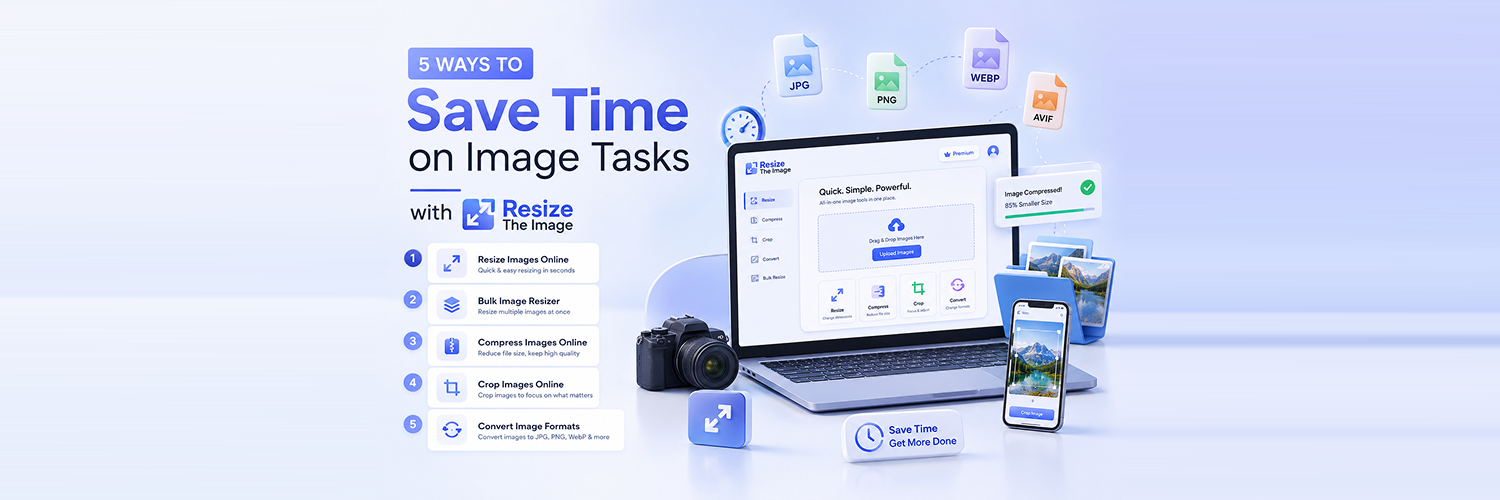
Image management requires more time than anticipated. In one project, you might find yourself resizing pictures, reducing their sizes, cropping them, changing their formats, and preparing them for use in websites and social media platforms.
Performing these actions one at a time is a tedious activity. Fortunately, there are image tools available on the internet that can make this process much quicker.
Using the online Image tool, you can perform various actions related to images, such as cropping them, changing their size, and format. If you are a content creator, marketer, student, business person, or site manager, among others, these tools will be helpful for you since they will give you enough time to concentrate on other activities.
Here Are 5 Ways to Simplify Your Image Tasks
Image operations like resizing, compression, cropping, and conversion are among those that can turn out to be boring and tedious. Irrespective of whether you are editing images for your website, using them for social media posts, dealing with images of your products, or uploading images over the Internet, doing all these jobs one after another can consume time.
1. Resize Images Online Instead of Using Complex Software
Another commonly performed operation on an image is its resizing. You may be asked to resize the image to use it in your web page, social network profile, web form, email, or digital document.
Use of professional image editing tools for the sake of image resizing will cause unnecessary waste of time. In order to accomplish that, you need to launch the tool, load the image into it, make changes in its settings, and then save the modified image.
Thanks to free image resizing services available online, you can easily upload the image, set the desired dimensions, and receive the modified image almost instantly.
Time-saving reasons behind the online image resizing
No Need to Install Any Software: The image resizing process online does not require the installation of any editing software. It is possible to use the tool immediately and resize your photos without occupying the space on your device or installing any program.
Easy Access Through Your Browser: Image resizing online is available whenever and wherever you need it by using only your web browser. It can be performed on any device, such as a computer, laptop, or tablet, as there are no requirements for your operating system.
Supports Common Image Formats: Online image resizers are compatible with the most common file types like JPG, PNG, WebP, and others. Thus, it is easier to work with different images without having to convert them beforehand.
Useful for Website and Social Media Images: Websites and social media sites have particular demands concerning the size of the photos. The tool is useful for resizing images to be used for blog posts, website banners, product photos, profile pictures, and posts on social media.
2. Resize Multiple Images with a Bulk Image Resizer
Image management has now become a routine activity when using a computer, be it uploading images to a website, managing a blog, an online shop, or just your personal files. Although it is quite easy to resize an image on its own, it would be a tedious task if there were hundreds of images involved.
Bulk image resizer comes in handy in this case as it gives you the ability to perform resizing of images all at once. It is not necessary anymore to open individual files and set their dimension, then download the images; instead, everything is done in just a few simple steps.
This makes bulk image resizing especially useful for:
Photographers Managing Large Image Collections: Many photographers use hundreds of high-quality images in their work. The bulk resizer allows them to resize photos for web purposes without having to edit each photo separately.
E-commerce Businesses Preparing Product Photos: When selling products on the Internet, you have to provide the photos in the correct size. The bulk image resizer will allow you to resize multiple product images easily.
Social Media Managers Creating Content: Each social media platform has its own image size requirements. Bulk resizing is needed when working with several image files at once.
Website Owners Optimizing Image Libraries: Large images increase the load time of a website. Webmasters can reduce the size of several images using the bulk image resizer.
3. Compress Images Online Before Uploading Them
Images play a key role in website development, social media sharing, e-commerce sites, and other digital media. High-quality images generally require huge files that may pose several challenges, including slow website loading, increased upload time, and higher storage consumption.
Image compression prior to uploading images helps minimize the file size without reducing its quality. This can easily be done using an image compression website without requiring any specialized software or skill.
Reduce Image File Size Easily: The process of image compression eliminates all unnecessary information from the image files and makes them smaller, thus allowing for easy uploading, sharing, and storing of images to maintain the right balance of image quality and performance.
Improve Website Loading Speed: Heavy images can impact negatively on the speed of your website page loads, which means that compressing images before adding them to the site is beneficial for website optimization and performance.
Upload Images Faster: The smaller the files are to be uploaded, the less time they will take. Whether you are going to add images to your website, online store, blog, or other type of website, compression will make uploads easier for you.
4. Crop Images Online Without Complicated Editing
Not all images require full editing or resizing. Sometimes all that you need is to get rid of unnecessary parts, to enhance the composition of the picture, or to draw attention to a certain area of the picture. This becomes easy to do thanks to the crop tool for photos available online.
Remove Unwanted Areas From Images: Unnecessary backgrounds, additional areas or some elements can influence the appearance of the image. By cropping images, you can easily delete unnecessary parts of pictures and pay more attention to the most valuable part of it.
Create Social Media-Ready Images: Various social networks require various sizes and framing of images. By cropping, you create perfectly framed images for Instagram, Facebook, LinkedIn, and other online resources.
Focus on a Person or Product: In the case of portrait photography or product photography, cropping can help you draw more attention to the main figure of your picture.
Prepare Profile Pictures: Profile images need to have certain parameters and framing. Cropping helps you create profile pictures for social network profiles, websites, and any other places where they are required.
5. Convert Images Into the Right Format
Different platforms, sites, and applications may use certain image formats depending on their requirements regarding image quality, performance, and compatibility.
JPG, for instance, is a commonly used format for photographs due to its high quality and relatively small file size, while PNG is usually used for graphics, logos, and images that require transparency. The right choice of an image format allows for maintaining high quality and a compact file size of the image at the same time.
An online image converter can easily help to convert image format without the necessity of manual image editing or the use of a software program.
Convert PNG to JPG: PNG file format has larger file sizes since the format provides high-quality image files that support transparency. You can convert PNG to JPG in order to have smaller file sizes.
Convert JPG to PNG: Conversion of JPG images to PNG can prove helpful if you want high-resolution image files, transparency support, and better graphics design.
Prepare Images for Websites: Websites usually use certain formats for images in order to speed up the image loading process on websites.
Reduce File Size: Image formats provide different types of compression for image files. It is possible to have small image files after conversion.
Why Use Resize The Image for Everyday Image Tasks?
Editing an image does not necessarily need complicated software. In most cases, all you need is a quick, efficient, and user-friendly tool. Resize The Image combines several important image manipulation utilities in one convenient package so that you can get your job done easily without having to install any software.
Here are the everyday image tasks you can simplify:
1. Resize Images: Resize an individual image according to the requirements of websites, social networks, emails, web forms, or other documents. It is possible to adjust the size of images without compromising their quality or proportions.
2. Resize Multiple Images: Want to work on dozens or hundreds of pictures at once? Bulk image resizing allows you to do all necessary manipulations with a batch of images at once.
3. Compress Images: Make your image files smaller while maintaining their quality. Small images will be more easily loaded on websites, take up less disk space, perform well for SEO purposes, and can be easily sent via email.
4. Crop Images: Eliminate unneeded parts of an image, change its composition, or make it fit certain dimensions. This tool is used when creating profile pictures, product pictures, banners, thumbnails, and other images with a great composition.
5. Convert Image Formats: Convert images from one format to another in case you need different formats for various purposes. The most commonly converted formats include JPG, PNG, WebP, SVG, and many others.
Frequently Asked Questions
How can I resize an image online for free?
Answer: You can resize an image online for free using Resize The Image, an easy-to-use image resizing tool. Simply upload your image, enter your preferred dimensions or adjust the size settings, and download the resized image instantly. It helps you resize images without installing any software or requiring advanced editing skills.
Can I resize multiple images at the same time?
Answer: Yes, you can resize multiple images at the same time using a bulk image resizer. This feature allows you to process several images together, saving time and effort. It is especially useful for photographers, businesses, eCommerce product images, and social media content creators who need to manage large image collections.
How can I reduce the size of an image?
Answer: You can reduce an image file size by using an image compression tool. Compressing images removes unnecessary file data while maintaining good visual quality. For better results, you can also resize the image dimensions before compression to further reduce the file size.
What is the difference between resizing and cropping?
Answer: Image resizing changes the overall dimensions of an image by adjusting its width and height, while cropping removes unwanted sections from the image. Resizing is useful when you need a specific image size, whereas cropping helps improve composition or focus on a particular area of the image.
Which image format should I use?
Answer: The right image format depends on your purpose. JPG is ideal for photographs because it provides good quality with smaller file sizes. PNG is better for graphics, logos, and images requiring transparency or sharper details. Other formats like WebP can help improve website performance with efficient image compression. Choosing the correct format helps maintain image quality while optimizing file size.
Read More: Best Online Tool for Image Conversion | Resize the Image
Conclusion
The process of managing image jobs can sometimes be quite time-consuming, particularly when resizing, compressing, cropping, or converting multiple files is required. Through the use of some basic tools available online, you will not only manage to accomplish the above jobs but also do them easily and efficiently. Choosing the proper tools will help you make your work easier so that you can have more time to concentrate on other important things, such as your content, website, business, etc.
Through the use of Resize The Image, managing your image jobs becomes much easier since all you need to do your work will be provided to you in one easy platform. Regardless of whether you want to perform tasks such as online image resizing, bulk image resizing, online image compression, online image cropping, or image conversion, you will find everything much easier through Resize The Image.