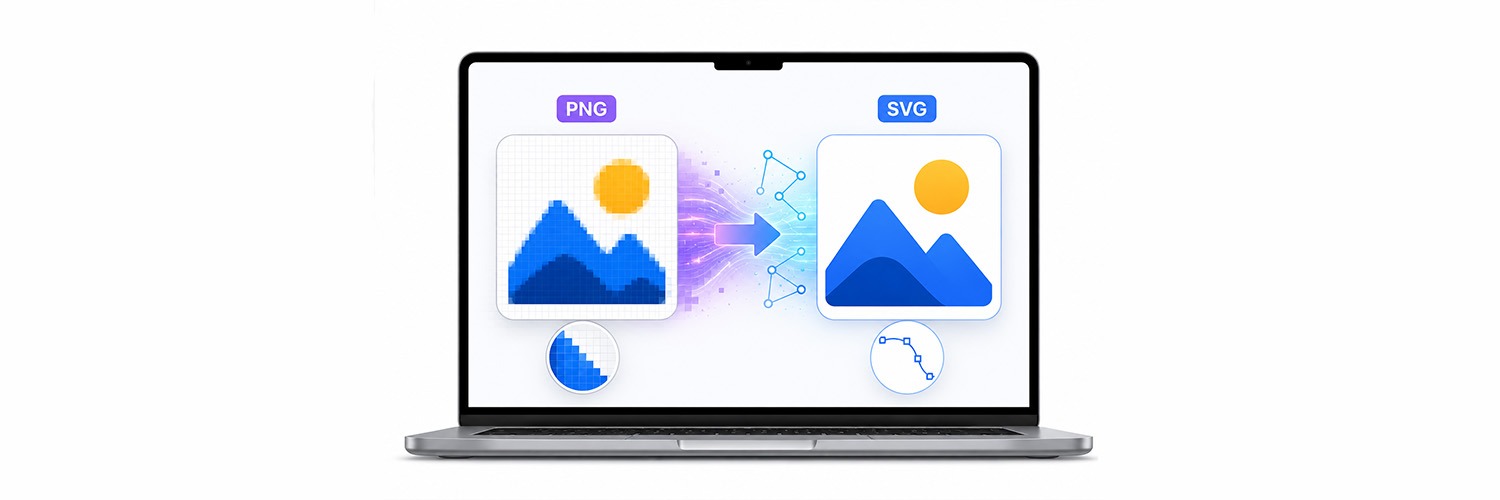
Have you ever found yourself zooming in on an image and finding it looking blurry, pixelated, or not very sharp at all? That's because PNG files are examples of raster images, and when a raster image is magnified, the pixels expand and become less than crisp.
Vector graphics don't depend on pixels like PNG files. They use mathematical formulas to make them look clear and defined regardless of the size or resolution needed. Whether it's being displayed on a smartphone screen or on a billboard, an SVG file will always appear as perfect as it did on the computer monitor.
As a graphic designer, marketer, or even crafter, vector graphics allow you to use your images for a variety of purposes. This guide will teach you the difference between raster and vector graphics, explain the benefits of SVG files, and show you how to convert PNG to SVG for scalable, high-quality graphics that look sharp at any size.
Understanding PNG Files
PNG is short for Portable Network Graphics and is one of the most widely used formats for images online. The main reason for this file format's existence was to produce quality image compression with no loss in image quality. Use for this format ranges from website graphics to screen captures to transparent logo creation and digital art.
Key Features of PNG Files
Provides Support for Transparency: The most significant feature of PNG files is that they support transparency. This makes it easy for users to create images with transparency without having a colored box behind them when they appear in websites or marketing collateral.
Delivers High-Quality Output: PNG supports lossless compression where the original quality of the images is not compromised even after compression of the image.
Perfect for Screen Capture: PNG supports sharp edges and fine details of images. It is because of this reason that PNG is often used for capturing screenshots or creating UI elements.
Limitations of PNG Images: Even with all the advantages associated with PNG files, there is one major drawback. The images have pixels, which are made visible upon enlarging the images, leading to blurry and distorted images.
Understanding SVG Files
The SVG or Scalable Vector Graphics is a vector file format that represents images mathematically rather than pixel by pixel. Unlike bitmap images that represent data in terms of pixels, vector graphics use mathematical formulas to draw lines, shapes, and other graphical objects.
Benefits of SVG Files
Unlimited Scalability: One of the main advantages of the SVG file format is the capacity of the file to be scaled to almost any dimension with no loss to the quality of the file. You could use the graphic as a tiny website icon, a graphic for social media, a banner ad or as large as to print on a billboard. The file will still look extremely sharp and professional regardless of the scale to which it is put. This makes it ideal if you want to use the same graphic in various environments.
Smaller File Sizes: If you're creating a file which is composed of basic shapes and colors and is not a photo, the SVG will produce an extremely smaller file size than the corresponding png, making it useful for saving space on computers and websites alike (the smaller file sizes assist the rapid load time for websites).
Easy Customization: While you have to start a raster image from the beginning when you want to edit it, an SVG image is fully editable once it has been generated. You can easily edit colors, shapes, text and layout without having to redraw anything. This can be extremely handy when designs are regularly modified (brand development, marketing content or web design etc.)
SEO-Friendly Format: Because an SVG is coded like other web pages, some of the information on a file can be read by search engines. If images contained in an SVG have correct labels and other metadata then this can significantly improve accessibility. In addition, if file sizes remain low, then loading speeds for pages containing SVGs are increased greatly.
Benefits of PNG to SVG Conversion
There are many people including designers, programmers, and businesses who opt to convert PNGs into SVGs due to the numerous benefits that vector graphics bring along with them. Although PNG graphics are excellent for use in showing off images on the web, SVG graphics are better in terms of flexibility and longevity. If you are designing a logo or a website or doing craftwork, converting PNG into SVG may be beneficial for you.
1. High-Quality Graphics, No Matter the Size: Another major reason to go from PNG to SVG format is the ability to scale images and avoid quality degradation. The PNG files are made up of pixels, which means enlarging such files will result in blurry lines and pixelation. However, SVG images have no problems with being scaled to any size due to using paths and mathematical shapes in their design. For instance, a company logo should look equally good whether it is placed on a website as an icon, in social media profiles, in brochures, and on signs outside the store. With SVG format, one can use the same file everywhere and always get a clear logo picture.
2. Faster Loading Time: The speed of a website is essential to users' convenience, better SEO performance, and higher conversion rates. Heavy graphic content can slow down websites, and this causes users to lose interest because they have to wait a long time for the content to load completely. On average, SVG files are significantly lighter compared to PNG files used to display logos, icons, buttons, and images. This type of files requires less memory space due to its vector-based nature.
3. Make Future Editing Easy: Once your graphic design has been converted into an SVG file, it becomes very easy to modify and personalize. As the vector graphics consist of separate shapes and paths, any changes made to these vectors will not affect the resolution of the images at all. In business, it can greatly reduce the amount of time required to change the company logo, create special promotions, renew branding and make other changes related to marketing activities. In addition, it helps save a lot of time because you don't have to redraw the entire graphic again.
4. Ideal for Cricut and Craft Projects: The SVG format is widely used for cutting machines since this file consists of clear vector paths. Thus, there is no need for further processing and tracing of such designs before cutting. Unlike PNG images that are raster and require extra steps, SVG files offer clean contours for easy cutting. Because the cutting machine processes vectors, it allows for cleaner cuts and accurate shapes.
5. Future-Proof Your Graphics: With the rapid advancements made by technology, graphics have to keep up with the times in terms of functioning well on a wide range of devices, resolution levels, and screen sizes. The advantage that makes an SVG file future proof is its scalability regardless of resolution levels, meaning that it adapts to almost any display situation. There is no need to generate different versions of images for particular applications as SVG graphics stay crisp and clear regardless of the device used.
Converting a PNG to SVG Is Easier Than You Think
There is no need for you to possess experience in design or software to convert your PNG to SVG. Modern online PNG to SVG converters take care of the whole process for you.
Just upload your image file, and the converter will examine the graphic and convert pixels into vector lines, generating an SVG file which is scalable up to any size.
SVGs created from logos, icons, transparent graphics, illustrations, and line drawings yield the best possible result since these pictures have sharp lines and therefore can be traced perfectly.
You should also make sure to preview the generated file in order to check whether you got an SVG file with accurate colors, transparency, sharpness, and perfect lines.
Once you get the right picture, save it and put it to use in websites, printings, Cricut project creation, advertising materials, and any other projects requiring high-quality scalable graphics.
Converting PNG to SVG on the Internet is a rather fast procedure that takes several seconds at most.
Tips for Getting the Best PNG to SVG Conversion
Although most automatic PNG to SVG converters do their job effortlessly, there are some tips that will enable you to create a much higher quality SVG file.
Use a High-Quality PNG Image: The success of creating a great SVG file depends a lot on the quality of your PNG image. Sharp lines, good contrast, and good resolution help convertors to recognize the vector form easily. In case of low-quality and blurry images, you risk obtaining rough edges in your SVG file.
Make the Design Simple: Converting PNG into an SVG becomes easy if the image contains shapes and outlined objects only. It is usually good to use logos, icons, illustrations, clipart, and line art, but images that are too detailed or include gradients will need to be edited after conversion.
Inspect the SVG Before Downloading: Don’t think that everything will go smoothly at once. Check your SVG file carefully; if needed, examine it closely and look for curves, lines, shapes, and even colors. You can notice problems now in order to spend less time working on the image afterward.
Choosing the Best Image Type for Conversion: When you convert your PNG image into SVG, keep in mind that not all images will convert equally well. The images that have simple designs with solid color backgrounds will convert well to an SVG file. However, images that contain complex shapes like photographs may still be converted to SVG.
Common PNG to SVG Conversion Problems and Solutions
Problem: Why does my SVG look blurry or have jagged edges?
Solution: This problem occurs mostly because the original PNG used for conversion was of low resolution or had blurry edges. Because the tool needs visible outlines to form vector shapes, the output tends to be more inaccurate if your source file wasn’t good enough. To ensure the highest accuracy, use high-resolution PNG files.
Problem: Why is my SVG file so large?
Solution: Big SVG files tend to result from graphic designs that have too many complexities, such as detailed images, textures, gradients, and colors. In the process of converting an image into SVG format, all these complexities result in creation of thousands of vectors, resulting in huge files. By simplifying the graphics before the conversion process, smaller files are generated.
Problem: Why do the colors look different after converting to SVG?
Solution:The colors, shading, shadow, or transparency effects may be interpreted differently while being converted. After the exportation process, compare the exported SVG file with the original PNG file and adjust the colors manually through a vector editing program when needed.
Problem: Why does the text look wrong in my SVG?
Solution:The fonts sometimes do not appear correctly due to the fact that the converter does not have access to the fonts’ data. If you want to ensure that the text appears the same way each time you open the SVG file on a different computer, you need to create outlines for the text first.
Problem: Why are some parts of my image missing in the SVG?
Solution: Sometimes, smaller areas, thinner lines, or less visible elements may be ignored while converting an image to SVG format. The solution is to upload an image that clearly shows all the necessary elements using a higher quality PNG file.
Problem: Why does my PNG not convert properly to SVG?
Solution: Not all images are suitable for vectorization. Simple images like logos, icons, clipart, illustrations, and line drawings are generally the most successful images during conversion because of the presence of shapes and edges within the image.
Problem: Why is my SVG difficult to edit?
Solution: If the converter has created too many vector paths, then it will be difficult for you to edit your SVG. It would be better if you start off with an image that has less detail so that clean vector paths can be created when converted to SVG.
Read More: Understanding the Right Logo Format: SVG vs PNG vs JPG
Final Thoughts
Conversion of PNG into SVG format is probably one of the simplest methods that will help to increase the versatility of your images. In contrast to PNG files, SVGs allow scaling to an arbitrary size without any loss of quality, which makes them perfect for such purposes as logo designing, creation of icons, illustrations, website graphics, branding designs, as well as printing tasks. The whole procedure is really easy thanks to various online services, and you do not need to have any skills or knowledge to complete this task.
For anyone who needs vector graphics, whether you are a designer, developer, businessperson, marketer, or someone who is interested in such activities as a hobby, using PNG as source and then creating SVG will provide the required level of flexibility in this area. By starting with PNG and checking your work on the final output, you can get high-quality vector images.
For those who need a quick conversion of PNG to SVG online, we recommend trying out the PNG to SVG converter tool available at Resize The Image. Just load your PNG file there, allow the service to create a vector graphic automatically, and download it right away.