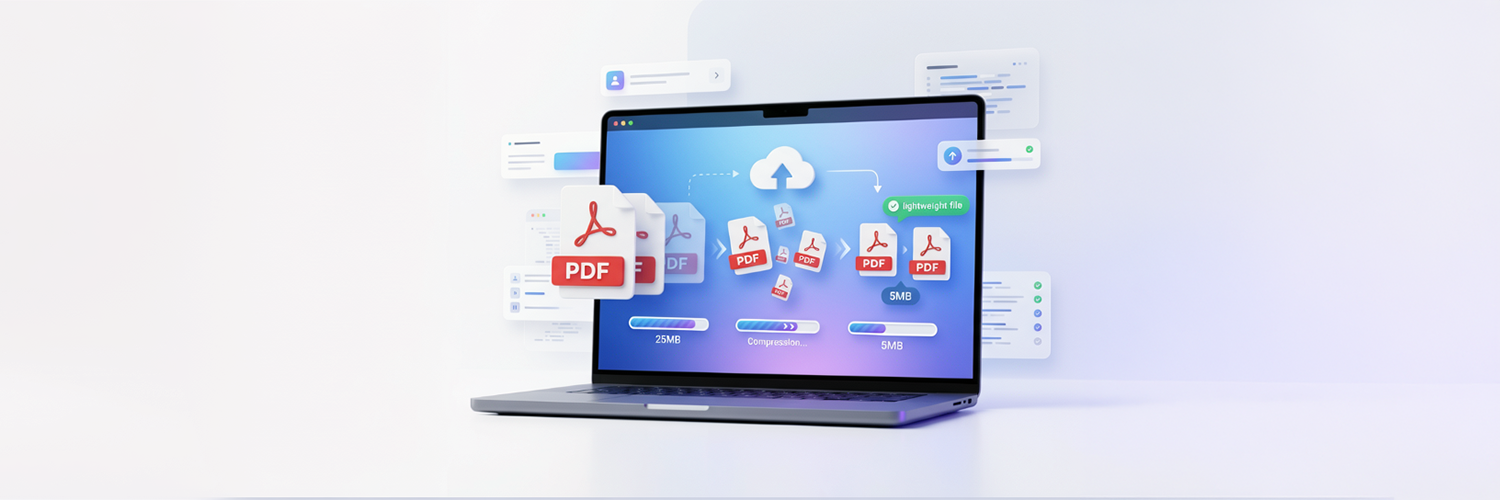
Managing PDFs has become an inevitable part of our daily work in the digital world. Regardless if you are a student, professional, or business owner, dealing with big PDFs in everyday activities of uploading, sharing, and storing documents may add an unnecessary burden. This guide provides you with everything you need to know regarding how to compress a PDF online for free and in the easiest way possible
The reason why PDFs are used in so many cases is the fact that they maintain formatting on all kinds of devices. However, PDF files may become quite large in size and even reach very large sizes very quickly, especially when they contain high-quality images, graphics, or many pages.
Big PDFs can indeed cause problems like limited file sizes for emails, fast or slow upload and download speeds, limited storage space on a computer or in cloud drives, and so on, and it's almost impossible to send them via some chat applications. This is the main purpose of a PDF compressor and some free online tools that enable you to compress the size of PDF documents quickly without installation procedures and simplify the document sharing process.
What is a PDF Compressor?
A PDF compressor is a utility designed to reduce the size of PDF documents without sacrificing readable and usable content quality. It works by reducing the data contained in the file (which could include images, fonts, or embedded data) and the PDF layout structure itself. In simpler terms, large PDF files are compressed to make them simpler to store, upload, or share without losing their key information.
In an office, school, or business, PDF compressors can also be used very frequently to share files over the internet via email or messaging clients, and also cloud storage sites like Dropbox or Google Drive. The overall goal is usually efficiency and saving on bandwidth and storage space.
How PDF compression works
When you compress a PDF file, the tool carries out a number of background processes to compress the PDF while ensuring that the file is fully readable and clearly displayed. All of these steps will occur automatically and do not involve editing your file's appearance or structure.
1. Lower the Resolution of Images: Images are commonly responsible for the larger PDF files, and they can be significantly reduced. Compressors work by reducing the resolution (DPI) and quality of the images, converting the images into smaller sizes with optimized viewing formats, and discarding excess data within the image that is not necessary. Image compression is beneficial, particularly in files that contain scans, photos, or numerous graphics as well as image files, resulting in a noticeable difference in file size.
2. Delete Non-Essential Metadata: PDFs are known to contain 'invisible' information known as metadata, which includes details such as the creator of the file, the date that the file was made or last edited, information concerning previous edits, and embedded thumbnails. This information is not displayed when the PDF is viewed, but it does increase the overall size of the file. Compressors will either delete this metadata altogether or compress it into a smaller file size, while the contents and appearance of the file will not be altered.
3. Reorganize fonts and file structure: Embedded fonts increase the size of the PDF, especially if multiple font styles have been used in the document. A compressor will reorganize the fonts within the document (this is called subsetting, where only the characters required for the file are held within the file) and also reduce unnecessary redundant font data. It will also streamline the PDF's structure.
4. Delete duplicate or superfluous objects: Unnecessary elements often lie hidden within PDFs; it can be redundant images, redundant layers from editing software, or even objects that are invisible but are still included in the file and therefore increase its size unnecessarily. These unneeded items are identified and removed by the compressor, making the file more compact without any loss to the visual information within it.
Best Ways to Reduce PDF File Size Online for Free
PDFs can be optimized in a variety of ways according to requirements. I've laid out the most successful options that enable you to effectively cut down on the file size without compromising valuable quality. The different methods listed below can be used alone or in tandem with each other, and are dependent on the size and complexity of the PDF document that you have.
Generally, users vary their methods depending on the content of the PDF text-heavy document image-heavy brochure vs scanned document. Using the correct approach helps obtain a better compression without compromising legibility or professional appearance.
Online PDF Compression Tools: The most accessible and the widely used is through online PDF compression tools. The PDF file size can be reduced efficiently using this without the need for installing software on any devices. You can upload your PDF file on the online website, where you can set compression level like low, medium and high. When you selected the quality option, the PDF will be compressed by the tool and ready for instant download.
Adjusting PDF quality settings: Apart from online tool, the PDF size could also be reduced by adjusting the PDF quality setting in advance when you first create or export the file. Adjusting quality setting gives you more control over how to save the file. Some adjustment to the quality settings of PDF include reducing the image DPI (dots per inch) of any images within the file, compressing embedded images, converting color image to black and white image when it is not required. It also has an option of removing the unwanted fonts or other embedded files.
Dividing into smaller sections: Sometimes even a good compression doesn't meet your target file size. Instead, it will be very useful to divide your large PDF into smaller segments. It is ideal for very large PDFs(over 100 pages), if you only need to share a segment of your document or if there are size restrictions imposed by online platforms or email services.
File conversion: Converting into other file types can be an efficient way to reduce the size of a PDF file. You can influence the size of the PDF file greatly by using other file types or optimize its content before converting into PDF. The common conversion types are; optimizing Word document before saving it as a PDF file, compressing images before embedding them in a file, converting scanned images into text-based PDF files via OCR.
Step-by-Step Guide to Compress PDF Online
It is easy to use and effective for you to compress your PDF file online for reducing the file size without needing to install software. It's commonly used when sharing documents via email, uploading your files on websites or to save up some storage space while the files are all there in front of you.
Select an online PDF compressor tool: The very first task to do is to find a trustworthy online PDF compressor. You need a compressor that can provide secure processing of files, high-speed compression rate, as well as retain the originality of your document, including layout, colors, and text style. A lot of online PDF compressors don't need you to download or install any software on your computer. All you need is just open the tool in your browser. They will compress the PDF file right there on your device without uploading your file to their servers; your uploaded file will be safely managed.
Upload your PDF file: Open the tool. Drag and drop your PDF file into the upload space and wait while it gets loaded. This might take a few seconds or minutes to upload, depending on the size of your PDF document as well as your internet speed. The compressor can either scan your document or get the information for you to pick.
Select the compression level: Once your file is successfully loaded into the tool, you have to select the level of compression according to your needs. You have to go for low compression if your documents need to look as original as possible while still decreasing the size of the document. This is generally recommended for all documents meant for formal presentation. For casual uses, medium compression works. It will compress your document quite significantly without having to sacrifice too much on quality. High compression would be used when the file size of the document really needs to be compressed to the utmost limit.
Download your optimized PDF file: Once the PDF document is compressed successfully, you can download your compressed PDF document from the tool. The smaller file size will make the document very easy to upload to an online platform or send via email. Always make sure that the format and all the contents of your PDF are still there and not lost when downloading to review.
Features to Look for in a Good PDF Compressor
When it comes to selecting the right PDF compressor, it's crucial to understand that not all compressors offer the same quality, security, and speed. A high-quality PDF compressor is expected to significantly reduce file size without sacrificing document readability and professional appearance. Evaluating the following features is a worthwhile endeavor before settling on a PDF compression tool
Free Use Option: The best PDF compressors often come with a free tier to take care of basic file compression needs. Many users only need to compress files occasionally, hence having access to core features at no cost is exceptionally beneficial. Such tools are perfect for students, freelancers, and small businesses who require a fast and affordable PDF compression solution.
No Quality Loss: A primary attribute of a PDF compressor is its ability to preserve the document quality after compression. The compressor must reduce the file size without making the text blurred or the images pixelated. With a balanced compression ratio, the readability, formatting, charts, and graphics are retained so that the output document retains a professional appearance, making it suitable for all professional needs, including resumes, presentations, reports, and important documents.
Fast Processing Speed: Quick processing significantly saves time, especially while dealing with large PDFs or many documents simultaneously. A high-quality PDF compressor is expected to upload, compress, and download files swiftly without the user having to wait for a prolonged period. A rapid compression can effectively boost user productivity.
No Watermarks on Output Files: Any good PDF compressor will deliver output files without any watermarks or logos. While some free tools will display watermarks and branding on the output file, professional documents must not display unwanted branding for it to maintain its professional outlook and avoid limitations in its usability.
Support for Large Files: Some PDFs are enormous with high-resolution images, scanned pages, and intricate designs that enhance their file size. The ideal PDF compressor should have the capacity to handle large files without crashing or freezing during compression.
Common Mistakes to Avoid
The goal of PDF compression is to create smaller, easier-to-share files that upload faster, all without distorting the layout and appearance of a document. Unfortunately, a majority of users fall victim to a handful of mistakes during the compression process that can result in a degraded, unreadable document, compatibility issues, or even the leak of personal data. The main reason that these mistakes happen is because users are solely focused on reducing file size while paying little attention to legibility, image quality, layout, and security.
Compressing too much: The first big mistake users make is to choose maximum compression. This option works for when you need your document to be small but does not care how it looks. Images become fuzzy, images are distorted, text becomes unreadable, and especially with scanned documents and presentations, it looks bad. We may want a small file but we need a readable document first especially if it is for business purposes and other formal uses.
Ignoring image-heavy PDFs: Images in PDF documents, scanned documents and presentations have a specific compression setting when they are applied. Compression that will efficiently make the file smaller may significantly degrade the image quality. Files that are image-heavy should use a balanced compression setting to optimize the image without making them fuzzy.
Not previewing after downloading the compressed PDF: After downloading your compressed PDF, many of you immediately upload it to somewhere or send it to others. Many people don't preview it and will send a misformatted, unreadable document to others. Always take a moment to open the compressed file before sharing it.
Compressing an already compressed file more than once: Repeatedly compressing a PDF repeatedly over and over again is a good way to quickly damage the file and make text and images blurry. Every time it gets compressed it becomes more degraded than before. Always have the original copy of your file on hand.
Read More: How to Convert PDF Files Online Free for All Formats and Devices
Conclusion
It's necessary to effectively manage the file sizes of PDF documents in contemporary digital settings. Documents such as professional works, academic research, business reports and presentations may slow down uploading processes, consume a significant amount of memory, or lead to significant difficulties when documents are transferred or accessed through the Internet. By applying appropriate PDF compression, these difficulties can be streamlined, reducing the transfer time, file size, and ease of handling the files across a wide variety of different types of equipment and working environments.
Efficient PDF compression not only enhances sharing time but also increases a user's productivity, capacity for storage, and general document efficiency. It's not only useful for personal work or study purposes but also for business reports and professional documents where convenient document handling and arrangement can save an organization considerable effort.
Quick, safe and good quality PDF compression is guaranteed by Resize The Image an app that enables users to simply decrease the file size of any PDF while upholding document clarity and structure.