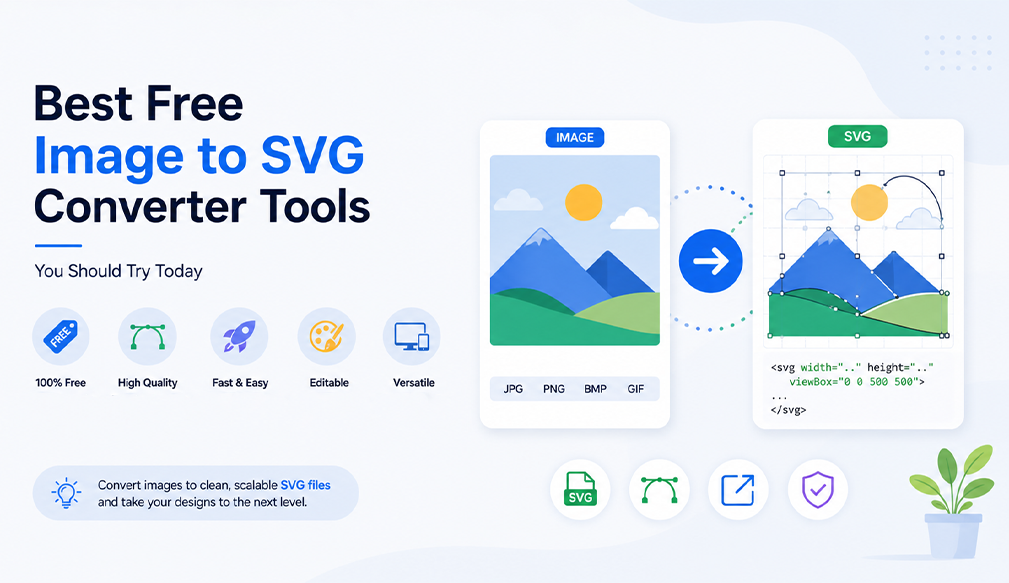
In terms of modern design, quality and adaptability have never been as crucial as now. From creating websites to designing creative materials for social networks and creating a brand image, it is important to know how to convert pictures into quality graphic elements. In this regard, a free svg converter will help many designers, developers, and beginners who want to get clear and beautiful graphics.
The most obvious advantage of using a free online converter is adaptability. Such images always look neat on any device and screen resolution, which means they can be easily incorporated into responsive designs. What is more, by using a converter, it is possible to avoid redesigning images from scratch because there are built-in tools for editing photos for free.
Apart from quality and convenience, there is an additional benefit provided by SVG files, they increase efficiency and ease of use. These files have minimal sizes, are easily integrated into websites, and can even be animated. This makes them quick to load and increases user engagement. Including the process of creating SVGs in your design workflow will ensure that you have high-quality and efficient graphics.
The Growing Importance of SVG Conversion
SVG or Scalable Vector Graphics has emerged as an extremely popular choice among designers for the same reasons. As digital mediums grow in popularity, there is a growing need for graphics that not only have high quality but are also scalable and light enough. This is why SVG has been embraced by almost everyone ranging from graphic artists to web developers.
Scalability without Sacrificing Quality: Unlike other conventional image formats, an SVG does not sacrifice quality regardless of how much you scale up or down the image. This makes it ideal for use in images like logos, icons, and UI features. The ability to scale infinitely without sacrificing quality means that one image may fit all needs.
Increased Website Efficiency: Because of their reduced file size, SVG files tend to load faster when used in websites. SVG images are written in codes hence tend to take less space than high resolution pixel-based images. Reduced loading time of a web page has a lot of advantages for a webmaster.
Flexibility in Designing: By having an efficient svg converter available online, users can modify colors, shapes, and sizes effortlessly, ensuring that their creations become more flexible. They can be edited using software tools and even coding techniques, which makes the process much faster and avoids the need to begin from scratch. Flexibility becomes essential for professionals who often make changes to their branding material or need to develop several iterations of a similar design.
From Pixels to Vectors: SVG Conversion Explained
Getting familiar with how things work will give you great advantages. When you transform an image to SVG format, you change the structure of the picture completely. Thus, you make your pictures more flexible and editable, which becomes possible with the assistance of a decent svg converter tool.
Raster vs Vector Explained: Rasters (JPG, PNG, WEBP) are composed of pixels, so their size is limited and they become blurry when enlarged because each raster image consists of colored squares. That is why a raster image becomes grainy if you change its size.
Unlike raster images, vectors (SVG) are constructed with the use of paths and curves. They do not depend on size, and there is no need to stretch or enlarge anything. An SVG file only has information on how to construct an image; it does not contain information regarding pixels.
Conversion Process Simplified: A good svg converter begins by analyzing your image through edge detection, shape detection, and color recognition, and then reconstructs your image in vector form. The method usually referred to as "tracing" involves finding boundaries between different regions of an image and representing them as vectorized lines and curves.
Some advanced software goes a step further by simplifying complex parts of an image and removing excessive details without compromising its aesthetic appeal. You can even modify settings such as color balance, smoothing, and precision of paths before saving your image as a SVG file.
Supported Formats: The majority of such software permits you to easily switch between formats such as JPG, PNG, and WEBP to SVG. These are among the most widely used picture types on the web, meaning that the process will be available to anyone using an SVG converter online tool.
What's more, some software enables you to do the conversion in bulk, thus saving you a lot of time if you have several files to convert. Moreover, certain services even have free online photo editors where you can adjust the size, crop the picture, or otherwise modify the image before the conversion, thereby ensuring high precision.
Important Aspects of a High-Performing SVG Converter
Not every tool will provide you with the same level of efficiency. Selecting the most appropriate tool will influence the effectiveness and ease with which the process is accomplished. In fact, a free converter will not only provide you with efficient service but will also be quite flexible and easy to use. Here are the features of such a tool:
High-Quality Conversion Output
The tool allows you to quickly and easily convert WEBP, JPG, and PNG files into SVG format with no distortion in the output. Good converters will make sure that any image or graphics is converted into a vector version without any flaws or distortions. Such functionality will be useful while working on complex projects such as logos, illustrations, etc.
Importance of Precision: Helps keep edges smooth and sharp even when resizing. This way you will ensure your logo, icons or graphic elements will retain their professional appearance on various monitors. Accurate edges detection makes sure there won’t be any distortion or other imperfections in the vector graphics result.
Consistency of Colors: Keeps original colors as close as possible, thus preserving the aesthetic of the initial image. The quality SVG file converter will make sure that color transitions remain seamless.
Quality Vector Paths: Creates clean and easy-to-use vector paths in the output SVG file. They simplify future editing.
Completely Free to Use
A free converter is one which does not have any kind of limitations which disrupts your workflow. Many software applications provide free conversions but later on put limitations like downloading, watermark, and sign up. A real free application provides full access without subscription charges.
No Hidden Charges: Accessing all features with ease without having to worry about extra charges or paying any amount of money to the application. It allows you to concentrate on other things rather than being disturbed by such matters.
No Account Needed: No need to create an account while using the tool to convert images into svg format. The ease of use makes it more accessible for people who don't have time to register themselves.
Infinite Usage: Converting an unlimited number of images without facing any kind of problems in the way.
Fast and Seamless Processing
The issue of speed is vital, particularly for tight timelines and when processing several files. The right tool will convert images fast, offering high-quality results and providing an enjoyable experience.
Immediate Conversion: There will be very little waiting between upload and download since a quick converter allows users to jump easily from one task to another. This way, the work will continue seamlessly, regardless of whether there are many files that have to be converted.
Continuous Workflow: The user will not experience any problems with lagging while using the software. Instead, there will be no interruption or hiccups throughout the entire process, allowing for uninterrupted work.
Performance: Capable of handling several files or larger images in an efficient manner. A good image converter performs well at all times, no matter how big or many the files are.
User-Friendly Interface
It is inevitable to feel frustrated when using the most powerful tool if it turns out to be hard to handle. The ideal online svg converter would be the one that is very user-friendly, having a good interface and easy navigation to accommodate any user from various proficiency levels.
Easy Navigation: Easy-to-see buttons with a good arrangement of the web pages would allow the users to immediately get the point of how to use the tool, which means that there will not be a risk of mistakes or complications with it.
User-Friendly Tool: No previous experience or skills required, the tool is designed for any user regardless of his proficiency level in the field. Any beginner will find no difficulties in using it and will be able to easily perform the task.
Speedy Access: All the processes that the users need to complete to receive the final result are fast and effortless. There are no time-consuming steps involved.
How to Convert Images to SVG in Just a Few Clicks
It does not require any special skills to change an image into SVG format. Contemporary software products have been developed to simplify this process for users; therefore, it is quite simple to convert an image into a scalable graphic format without having to deal with complicated procedures.
The Proper Choice of Image: First of all, the chosen image should be in a proper format, such as JPG, PNG, or WEBP. The quality of the picture will determine the accuracy of the resulting vector graphic because clear and high-quality visuals will help identify the smallest details. It should be noted that images that contain clear lines and edges, as well as images without any visual noise, will give a better result than blurred pictures and heavily compressed visuals.
Automatic Image Analysis: After adding the image, the svg converter will automatically analyze it in order to identify lines, shapes, and color changes. At this stage, the actual conversion occurs, as the program analyzes pixel information and starts plotting the pixels to vectors. More sophisticated programs have smart detection, which separates each element from one another, thereby retaining their shape and distribution of colors.
Customizing the Outcome: Most online svg converter tools offer features for customizing the final product depending on your preferences. This allows you to choose the level of detail of the resulting file as well as tweak its smoothness and color saturation. Such an approach makes it possible to customize your outcome even without having any professional design experience.
Rapid Image Processing: The image gets processed by the tool and is converted into the required SVG file within a few seconds after making the desired modifications. This feature is very valuable for users who are handling several images at once and want to ensure a faster conversion process. With this tool, they need not worry about spending extra time in the conversion process, since the file would be created quickly without sacrificing quality.
Instantly Available SVG File: As soon as the file has been processed successfully, users get access to the file. They will be able to easily open it and use it wherever necessary. Due to the scalability of this format, they need not worry about the file becoming distorted even after making changes in its size. Thus, with the help of this format, users will be able to create a variety of designs without any problem.
Important Features to Look for in Any Online Converter
The benefits of using an effective svg converter online exceed mere conversion. It is a whole package of options that makes your work easier and more professional while providing excellent user experience at all stages. The correct choice of the required features will surely improve the efficiency of your work greatly.
Free & Easy to Use: Any tool that deserves being used should be user-friendly, as well as easily accessed by anyone. An intuitive interface allows the user to upload, process, and download the files within a couple of minutes without difficulty and complications. There is no need for extensive knowledge in technology here; it's easy enough even for an amateur, but fast enough for professional use.
Watermark Free: Undoubtedly, one of the key features of a good free online converter is downloading files without any additional marks or requirements for the use of your work. Watermarks often restrict further application of the design and can ruin its professional appearance, and thus, it's important to be able to avoid using a watermark while processing files.
Quality Retention: Quality retention becomes very important in the process of conversion of images. The ideal converter should be able to ensure that after conversion, the resulting SVG image is still sharp, clear, and retains its original quality. The converter should be able to convert pixels into vectors and retain all other features such as edges and curves.
Safety and Security: The issue of safety and security might not be a major consideration in most cases, but it is very important, especially when using the converter on the web. An ideal online SVG converter should not have access to your file after the conversion process, ensuring that your designs are safe at all times.
Read More: PNG to SVG Conversion: Best Way to Convert Images Online
Final Thoughts
Selecting the appropriate tool need not be a daunting process either. For instance, an ideal svg converter website will be able to offer the best blend of fast service, quality assurance, and simplicity, all at a 100% accessible price point. An application that performs its tasks efficiently and retains the accuracy of the final result is definitely one that will fit into your work flow and stay.
If you are a graphic designer, marketeer, or simply wish to improve your visuals, taking advantage of a free svg converter will instantly boost their performance in any platform imaginable. This is thanks to assistance provided by the free photo editing software, making the whole process easier for you in terms of producing high quality graphics effortlessly.
If you’re in search of a streamlined solution, then Resize The Image is the answer you’ve been waiting for. It merges the process of conversion along with several basic editing functions that make working on images easier than ever before. Try out Resize The Image today and take your visuals to the next level with SVG.