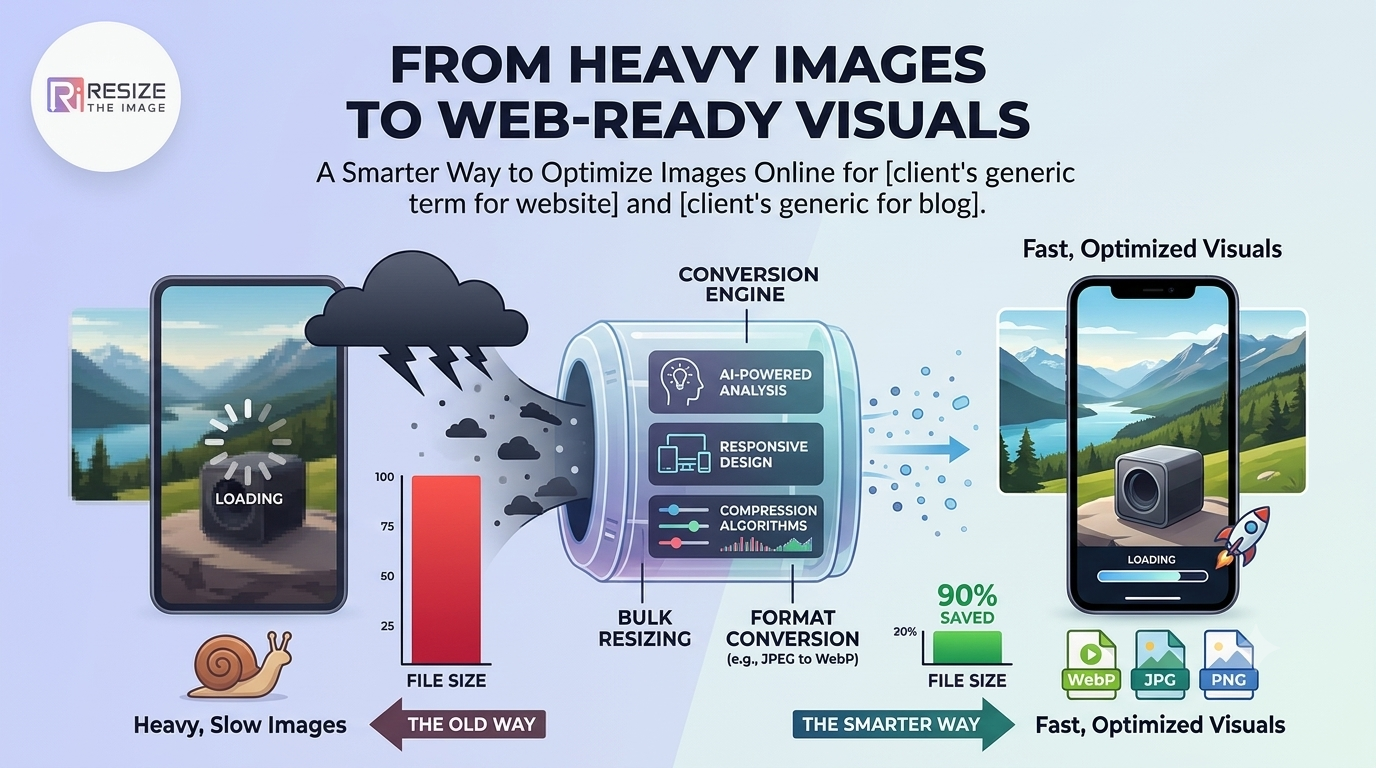
A high-quality image can make a website, product page, blog, or social media post more engaging-but large image files can also slow down websites and make sharing difficult. The challenge is finding the right balance between image quality, file size, dimensions, and format.
Instead of treating image resizing as just a way to make a picture smaller, think of it as part of a complete image optimization workflow.
That is where online tools such as ResizeTheImage can help.
Why Is Image Optimization More Than Just Resizing?
When people search for an online image resizer, they often have a specific problem:
An image is too large to upload
A website image loads slowly
A social media platform requires specific dimensions
An email attachment is too large
A product image needs standardized dimensions
A photograph needs to be converted into another format
Simply reducing the dimensions may not solve all these problems.
A better approach is to consider four factors:
Dimensions + File Size + Format + Intended Use
For example, an image prepared for a website may need different dimensions and compression from an image prepared for Instagram, an online marketplace, or an email attachment.
The “Right Size” Depends on Where You Use the Image
There is no single perfect image size for every situation.
A large photograph may be ideal for printing but unnecessary for a website thumbnail. Similarly, a high-resolution product photograph may need optimization before being uploaded to an e-commerce store.
For websites
Images should generally be optimized so they don't unnecessarily increase page weight.
For social media
Images need dimensions appropriate for the platform and content format.
For e-commerce
Consistent dimensions across product images can create a cleaner shopping experience.
For email
Reducing file size can make attachments easier to send and download.
For documents
Images may need to be resized to fit within a presentation, PDF, or report without making the document unnecessarily large.
This means the better question isn't “How do I resize an image?”
It's:
“What image dimensions and file size are appropriate for my intended use?”
A Simple Image Optimization Workflow
A practical workflow can make image preparation much easier.
Step 1: Start With the Original
Keep an original copy of your image before making any changes.
This gives you the flexibility to create different versions later.
Step 2: Decide Where the Image Will Be Used
Determine whether it is intended for:
Website
Blog
Social media
E-commerce
Email
Presentation
Document
Personal sharing
Step 3: Resize the Dimensions
Reduce the width and height according to the intended use.
Avoid unnecessarily huge dimensions when the image will only be displayed at a smaller size.
Step 4: Optimize the File Size
A smaller file can be easier to upload, share and deliver online.
However, excessive compression can create visible artifacts, so the goal should be efficient optimization rather than simply achieving the smallest possible file.
Step 5: Choose the Right Format
Different formats have different strengths.
JPG/JPEG: Useful for photographs and complex images.
PNG: Useful when transparency or lossless image quality is important.
WebP: A modern format that can provide efficient web delivery for many types of images.
SVG: Useful for suitable vector graphics such as logos and icons.
Why Use an Online Image Tool?
Traditional image-editing software can be powerful, but not everyone needs a full desktop editing application simply to resize or optimize a photograph.
An online image tool can be useful when you need a quick solution without installing software.
With ResizeTheImage, users can access multiple image-related tools online, including image resizing, compression, cropping, conversion and other image utilities.
This makes it possible to handle common image-preparation tasks from a browser.
One Image Can Have Multiple “Best” Versions
Here's an important concept that many users overlook.
Your original image does not necessarily need to be the same version you upload everywhere.
Imagine you have a 4000-pixel-wide photograph.
You could create:
Original: High-resolution master copy
Website version: Optimized dimensions and file size
Social media version: Platform-specific dimensions
Email version: Smaller file size for easy sharing
Thumbnail: Small dimensions for previews
This approach gives you better control over image quality and performance.
Instead of asking “What is the best image size?”, ask:
“What is the best image size for this specific purpose?”
How Image Optimization Can Help Websites
Images are often an important part of a website's total page weight.
Uploading unnecessarily large images can increase the amount of data a browser needs to download.
Optimized images can contribute to a better user experience, particularly for visitors using slower connections or mobile networks.
For businesses, this can be particularly important on:
Product pages
Blog pages
Portfolio websites
Real-estate websites
Travel websites
News websites
Landing pages
Image optimization should therefore be considered part of a broader website performance strategy, alongside efficient code, caching, responsive design and other performance practices.
Image Optimization for Indian Businesses and Creators
For businesses and creators in India, online image tools can be useful for preparing visuals for websites, marketplaces and social media without depending on expensive editing software for every small task.
A Pune-based digital agency may need to prepare images for a client's website. An online seller in Mumbai may need to standardize product photographs. A blogger in Delhi may need to optimize images before publishing an article.
The requirement is different, but the underlying problem is similar:
Create an image that is appropriate for its destination without unnecessary file size or dimensions.
ResizeTheImage provides browser-based tools that can help users perform these common image tasks.
Frequently Asked Questions
What is the easiest way to resize an image online?
An online image resizer allows you to upload an image, specify the required dimensions and download the resized version without installing desktop software.
Does resizing an image reduce quality?
It can, depending on how the image is resized and processed. Reducing dimensions moderately can maintain good visual quality, while excessive resizing or repeated compression may introduce quality loss.
What image size is best for a website?
There is no universal size. The appropriate dimensions depend on the image's display area, website design, device requirements and intended use.
Should I resize or compress an image?
They solve different problems. Resizing changes the image dimensions, while compression primarily reduces the file size. In many cases, using both appropriately produces a better web-ready image.
Which image format should I use?
It depends on the image and destination. JPG is commonly used for photographs, PNG is useful when transparency or lossless quality matters, and WebP is often useful for efficient web delivery.
Can I resize images without installing software?
Yes. Browser-based tools such as ResizeTheImage allow users to perform common image-processing tasks online.
A Smarter Approach to Your Images
Image resizing shouldn't be treated as a one-click task where the only goal is to make a file smaller.
A better workflow considers where the image will be used, how large it needs to appear, how much file weight is appropriate, and which format makes sense.
Whether you're preparing website graphics, e-commerce product photos, blog images, social media creatives or email attachments, creating purpose-specific image versions can make your workflow more efficient.
ResizeTheImage brings several common image tools together in one online platform, making it easier to resize, compress, crop and convert images from your browser.